01 / Before you begin
Before you begin
Choose one clear reaction
Start with a specific feeling such as joy, encouragement or gratitude. A focused reaction is easier to understand at a small size than an image trying to express several emotions at once.
Review expression at the intended size
Consider the expression and gesture you want, then explore the available creation options. Check the result at a small viewing size as well as a large preview to see whether its reaction remains legible.
Choose an output for its destination
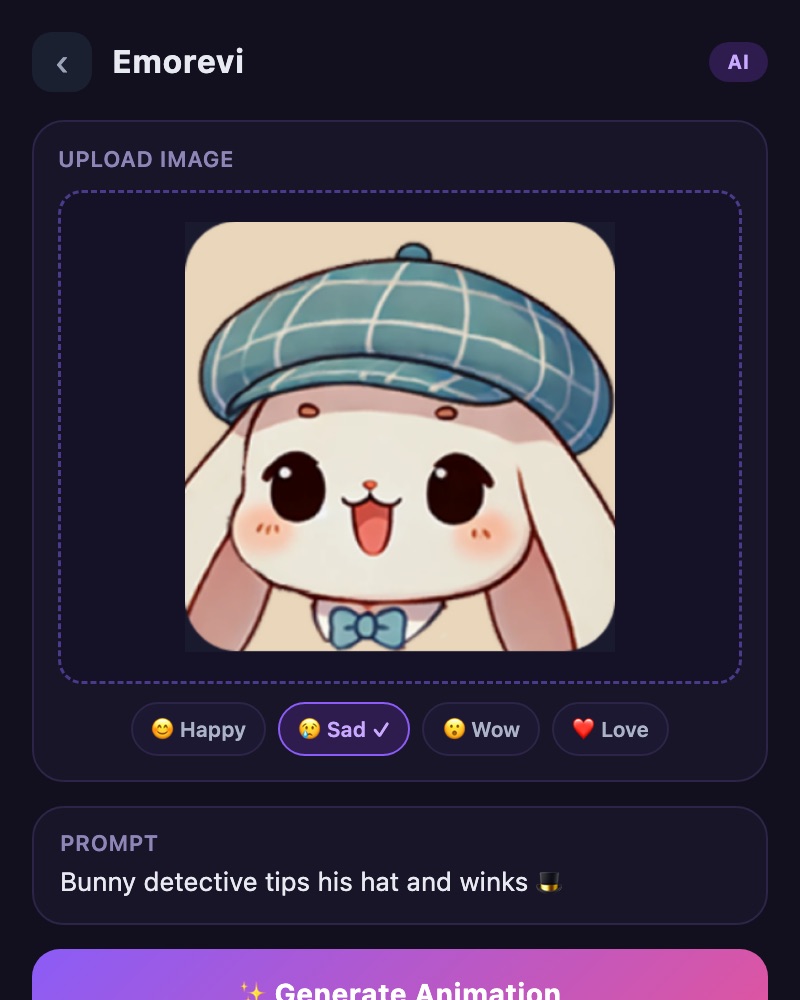
Emorevi is a separate creative service reached through TOVA. Review the available output files and export choices, then check whether the place you intend to use the result accepts that format.
02 / Follow these steps
Follow these steps
Open Emorevi from the TOVA tools screen.
Choose an emotional direction and use the available character-creation options.
Review expression and movement, then choose an output suitable for the destination.
03 / Try this sequence
Try this sequence
For an encouraging reaction, think about the expression and gesture before adding a complicated background. Review the finished result at a small size and choose the version that communicates immediately. A simple reaction can still feel personal.
Before you export
- Does the character’s emotion match the intended line?
- Is the sequence paced comfortably?
- Have you reviewed the result before bringing it into your TOVA edit?
Frequently asked questions
Will every messenger accept the output as a sticker?
Supported formats and sticker-import methods vary. Check the available Emorevi output against the requirements of the destination.
Is the result automatically added to the TOVA editor?
Emorevi is a connected service. To reuse a result elsewhere, check its exported format and the importing tool’s support.
Available tools and export settings vary by app version and device. Check the app for the terms of AI generation and cloud processing.