TOVA / YOUTUBE SHORTS
Watch it in action

“I Know Your Secret.” 👀 Turn Chats into Videos with TOVA TalkMaker
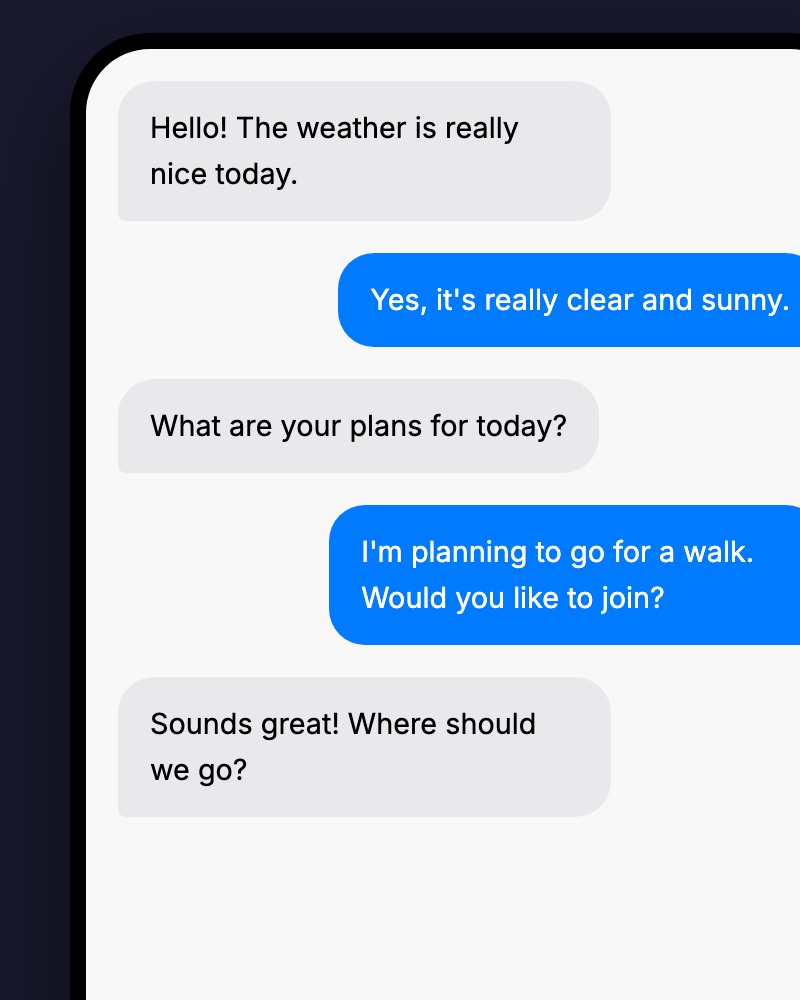
Meet TalkMaker and the idea of turning a conversation into a video story. Use the guide below to plan an opening message, readable exchanges and clear character roles.
Watch on YouTube ↗If the player is unavailable, watch on YouTube.
01 / Before you begin
Before you begin
Write an exchange that reads easily
Break a long explanation into a question and response instead of filling one message with everything. Give each message one new idea so the conversation remains readable on a small screen.
Establish the roles early
Make clear who asks, who responds and why the conversation starts. When using a fictional exchange as an example, give the audience enough context to understand it as a created story.
Build an opening and a payoff
Let the first message create curiosity, the middle supply the information and the final message bring the point home. Review generated wording for the voice and purpose of the content before keeping it.
02 / Follow these steps
Follow these steps
Open TalkMaker from TOVA’s tools screen.
Define the topic and exchange using the creation options available in the service.
Review the wording and reading flow, then finish the video using the available output options.
03 / Try this sequence
Try this sequence
For a frequently asked question, open with “Which tool should I use?” Explain compression and conversion in a short response, then close with a practical choice for each situation. The exchange becomes a compact explainer without requiring a conventional on-camera introduction.
Before you export
- Is the conversation easy to follow?
- Is each message short enough to read?
- Have you removed private conversations or details that should not be shared?
Frequently asked questions
Does this import real messenger conversations?
This page describes a tool for creating videos in a messenger style. It does not imply automatic access to another messaging app’s history.
Is TalkMaker part of the timeline editor?
TalkMaker is a separate service accessed from TOVA’s tools screen. Check that service for its current generation, output and pricing options.
Available tools and export settings vary by app version and device. Check the app for the terms of AI generation and cloud processing.