TOVA / YOUTUBE SHORTS
Watch it in action
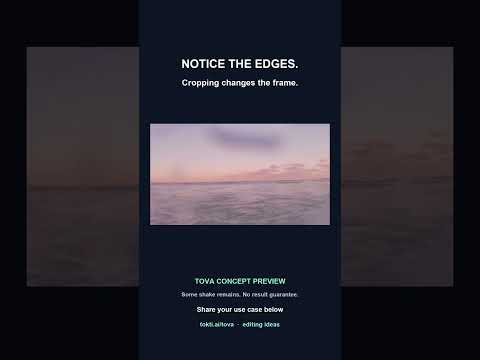
Stabilization concept: keep the memory, check the crop
The comparison below is a TOVA concept preview exploring shaky travel footage. It shows the same seaside clip before and after stabilization with a tighter crop; some movement remains. It is an editing demonstration, not a verified current TOVA app result or a promise of an available one-tap stabilization preset. Compare the horizon and the frame edges before deciding whether a result suits your story. Share the kind of clip you would use this for under the preview.
Watch on YouTube ↗If the player is unavailable, watch on YouTube.
01 / Before you begin
Before you begin
Choose one experience
Trying to show an entire trip can crowd the edit. Start with one experience: a first glimpse of the sea or an unexpected street discovered on foot.
Alternate places and people
Follow a wide view with an expression, a meal or a small detail. Give each image a role and keep only the strongest version of similar shots.
Stabilization concept: keep the memory, check the crop
The comparison below is a TOVA concept preview exploring shaky travel footage. It shows the same seaside clip before and after stabilization with a tighter crop; some movement remains. It is an editing demonstration, not a verified current TOVA app result or a promise of an available one-tap stabilization preset. Compare the horizon and the frame edges before deciding whether a result suits your story. Share the kind of clip you would use this for under the preview.
02 / Follow these steps
Follow these steps
Choose 8–10 photos and two short clips covering arrival, scenery, activities and a closing moment.
Start in Slide for a photo-led video, or Video Editor to refine a mix of photos and footage.
Show the location in the first three seconds, build around people and activities, and close with a memorable image.
Keep place labels short and adjust the timing to the mood of the music.
Play the full sequence on your phone, fix cropped faces or rushed photos, and export.
03 / Try this sequence
Try this sequence
0–3 seconds: arrival. 3–12: scenery and details. 12–24: people and activities. 24–30: a group photo and a short date. These timings are an example, so adjust them to your material.
Before you export
- Have you removed repeated scenery?
- Does the story include both the place and the people?
- Are labels used only where they add context?
Frequently asked questions
Should a travel film be vertical?
Vertical works well in a vertical feed; landscape can suit a TV or wide scenery. Decide where the video will be watched before reviewing the crop.
Available tools and export settings vary by app version and device. Check the app for the terms of AI generation and cloud processing.